
toDō
Available now
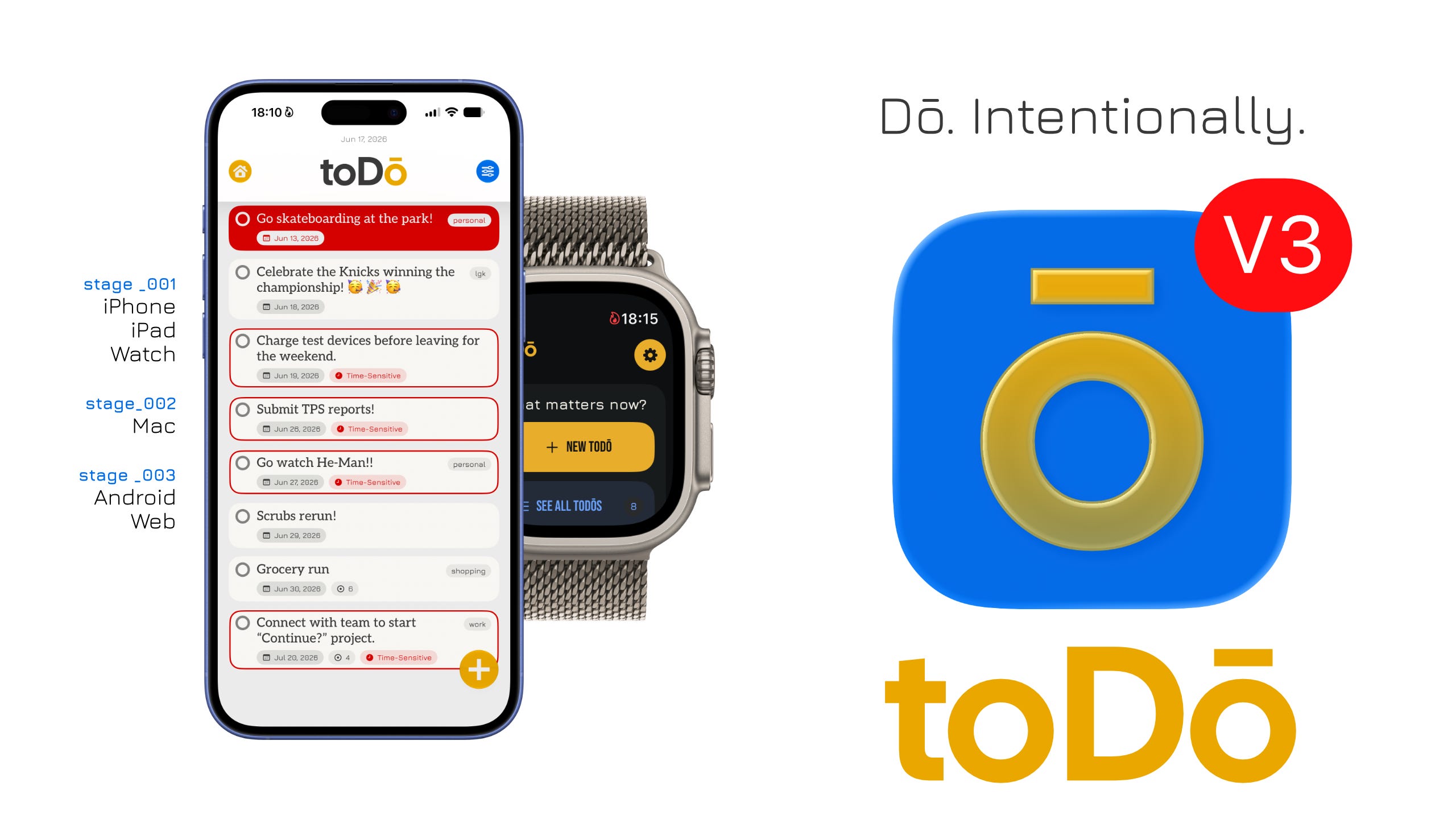
toDō 3.0 is available now for iPhone, iPad, and Apple Watch. It was built to help turn intention into structure, into action, into momentum. Whether the work ahead is a responsibility, an idea, a goal, or the next small thing that needs to be handled, toDō is designed to give it a clearer place to begin.
→ Download toDō on the App Store
What do you want toDō today?
toDō was borne of a need to remember, to track, and to accomplish, all in pursuit of success.
That purpose has remained constant since the beginning, even as the product itself has changed around it. Version 3.0 is the most substantial change to date: a complete rebuild of toDō around a clearer experience, a stronger technical foundation, and a more deliberate understanding of what a task system should contribute to someone’s day.
This is not an update assembled around a checklist of new features. It is the result of reconsidering the system from the moment someone opens the app through the moment they complete, defer, revisit, or reflect on a task. The work reaches across iPhone, iPad, Apple Watch, widgets, Live Activities, reminders, sync, localization, settings, and the underlying architecture that makes all of those surfaces dependable. The objective was not to make toDō louder or more complicated. It was to make it more useful when life is already demanding enough.
A task app should not merely store tasks. It should help reduce the friction between knowing what matters and doing something about it. That requires structure, but not bureaucracy. It requires visibility, but not constant interruption. It requires enough capability to support real responsibilities, goals, ideas, and obligations, while remaining clear enough that opening the app does not become another source of drag.
toDō 3.0 was built to help turn intention into structure, into action, into momentum.
A clearer place to begin
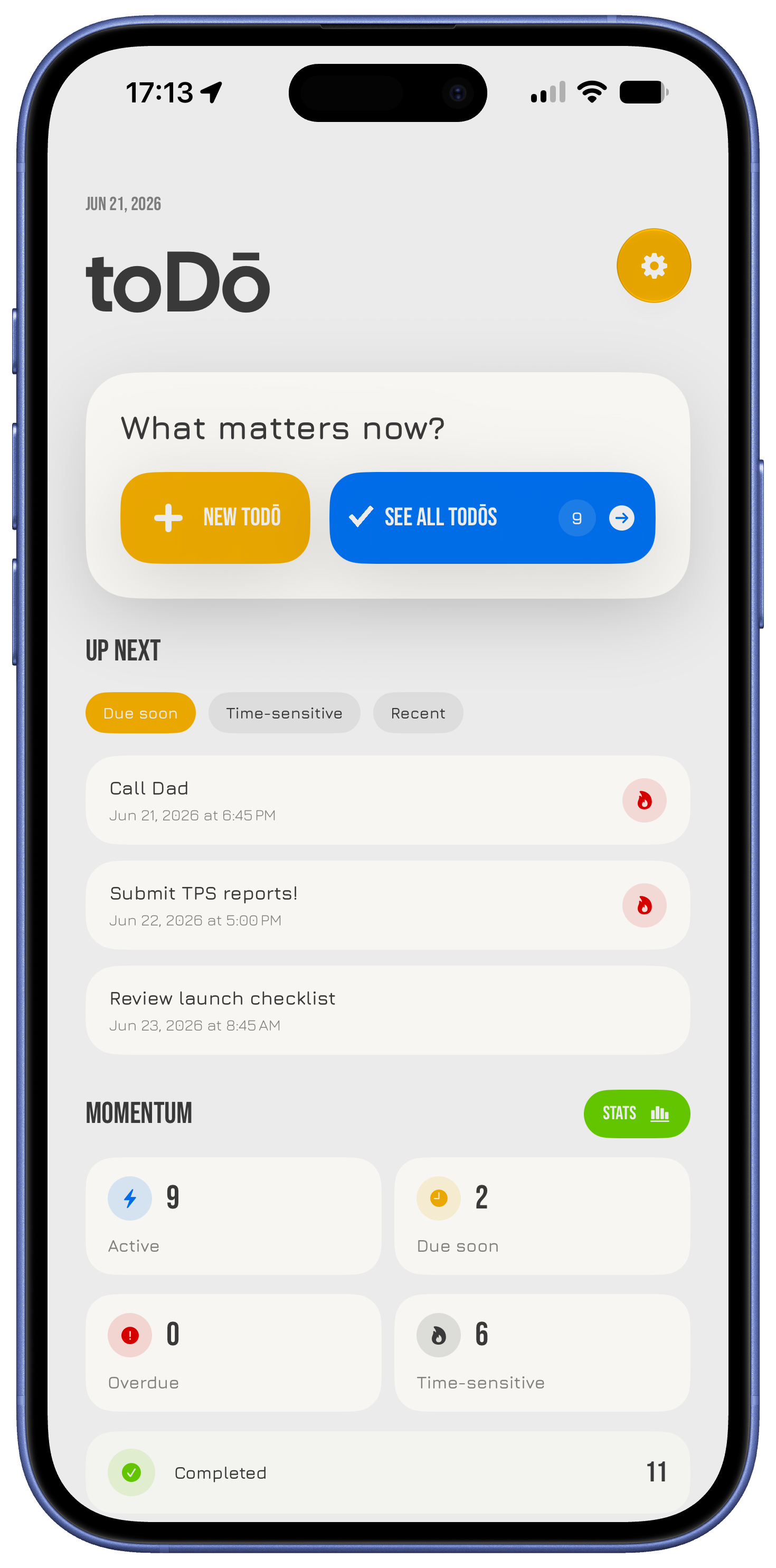
The first question a task system should answer is simple: what deserves my attention now? Earlier versions of toDō could hold a great deal of information, but Version 3.0 reconsiders how that information is encountered. The new Home experience provides a clearer point of entry into the system, giving the work in front of you a more immediate place to appear. It is meant to reduce the time between opening toDō and understanding where to begin.
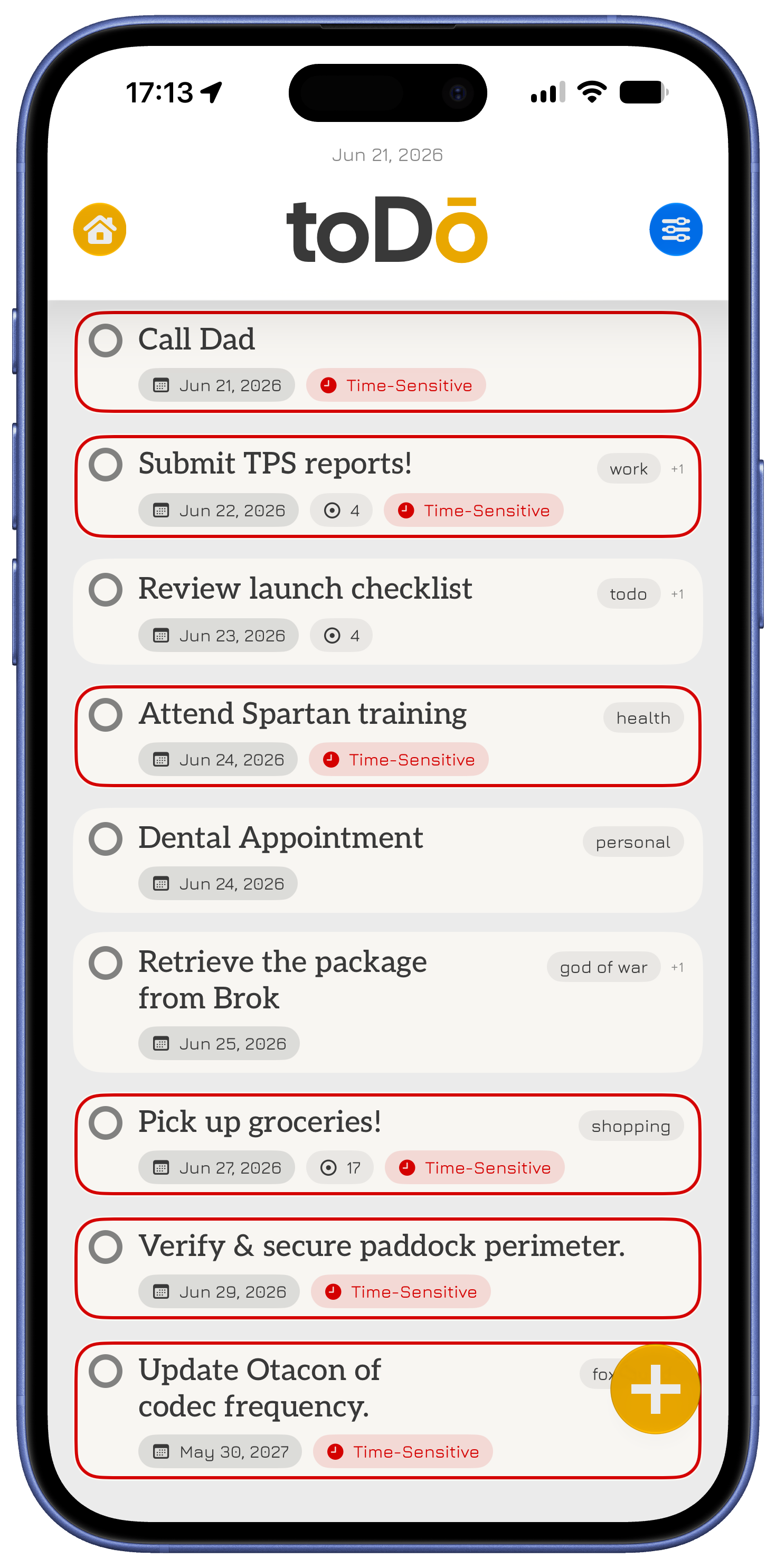
The surrounding navigation has been rebuilt to support that same purpose. The toDos view provides a more capable place to browse, organize, search, filter, and manage work, while the individual toDō view gives each task a focused space for its details. Creating, reviewing, and editing a task should feel like a continuation of the same thought, not a series of disconnected screens. That distinction matters because small points of friction accumulate quickly when a system is used every day.
The redesigned flow also improves how toDō works across different screen sizes. iPad receives layouts that better use the available space without treating the larger display as an excuse to add noise. Sheets, navigation, presentation behavior, and supporting views have been refined so that the interface remains direct whether a task is being captured in a moment or managed with more care later. The goal is a system that meets the user where they are without asking them to adapt to the system first.
Your system, your sync choice
A task system becomes less trustworthy when it assumes everyone wants the same relationship with their data. Some people want their toDos to remain entirely on one device. Others expect their work to follow them across their Apple devices without needing to think about it. Others need an account-based option that can support a broader product over time. Version 3.0 treats those as legitimate choices rather than forcing everyone into a single model.
toDō now supports three sync modes:
This Device Only, for keeping toDos local to one device.
iCloud, for syncing within an Apple-device environment.
toDō Sync, for account-based synchronization across supported devices.
The important work is not limited to offering three buttons in Settings. Moving between sync modes now has clearer guidance, migration support, health and status information, and a more considered approach to conflicts when they arise. The underlying sync work also improves how creates, edits, completions, and deletions are coordinated across devices. The practical result is straightforward: toDō can remain exactly where you want it, or it can move with you, while the system remains clear about what is happening.
Reminders that understand urgency
Not every task deserves the same interruption, and a reminder system that treats every task alike quickly becomes easy to ignore. Version 3.0 gives reminder behavior more intent by distinguishing between Quiet, Due, and Time-Sensitive toDos. This makes it possible to preserve a task’s importance without turning every obligation into an alarm. The goal is not more notifications. It is better judgment about when a notification is actually useful.
Reminder behavior has also been expanded with selectable sounds, configurable snooze options, and direct routing back into the relevant toDō. A reminder should not simply announce that something exists; it should provide a useful path back into the work itself. When a task is time-sensitive, the system can keep it more visible through Live Activities rather than requiring the user to repeatedly reopen the app and reconstruct the context.
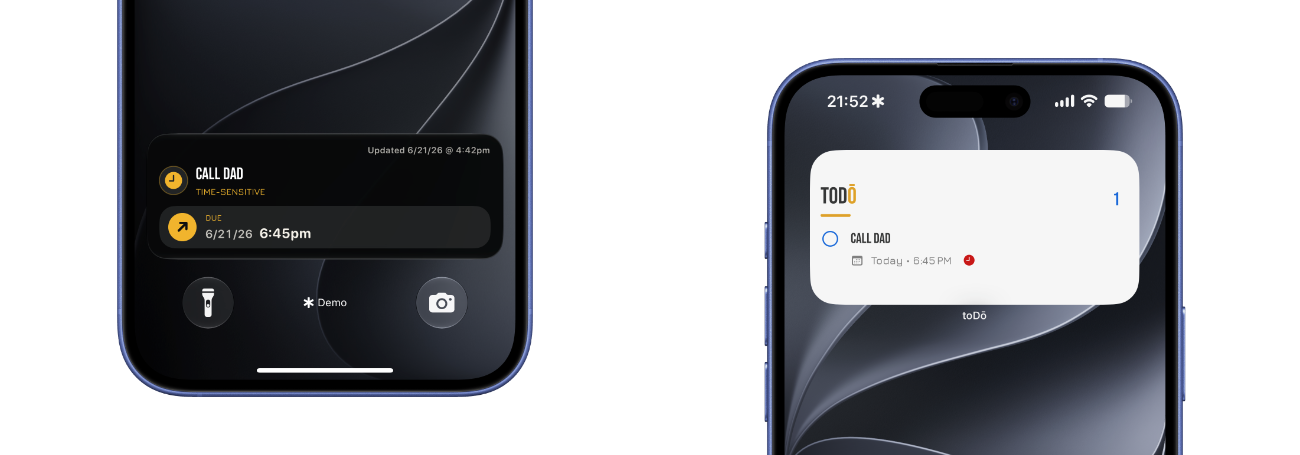
That distinction carries into the redesigned Lock Screen, Notification Tray, and Dynamic Island experiences. Rather than relying on visual noise or an unreliable animated countdown, the new Live Activity design prioritizes useful date and time information, clearer hierarchy, and a direct return path into the task that needs attention. A system should be available when it matters, then get out of the way when it does not.
More visible without becoming distracting
A useful task system should remain accessible outside the app without demanding constant attention. Widgets and Live Activities are valuable because they reduce the number of times a person needs to open an app merely to remember what they were already trying to do. Version 3.0 rebuilds those surfaces around the same principles as the rest of toDō: clarity first, context when needed, and a direct path back into the relevant work.
Widgets now better reflect the current state of a person’s toDos across supported sizes and accessory layouts. They refresh when the underlying work changes and can route into the app where the platform supports it. This makes the Home Screen and Lock Screen more useful as places to orient oneself, not just places to display static information. The intention is to keep important work within reach while preserving the user’s attention for the work itself.
The same philosophy applies to Live Activities. Time-Sensitive toDos can remain visible when they require attention, but the experience has been shaped to avoid pretending that urgency always requires spectacle. The most useful task surface is not the one that moves the most. It is the one that makes the next meaningful action obvious.
A more capable Apple Watch app
The Apple Watch version of toDō is no longer a limited companion designed only for checking off a task. Version 3.0 substantially expands what can be done from the wrist, because a task system should not disappear simply because a phone is not in hand. When someone is walking, commuting, moving between rooms, or otherwise away from a larger screen, the ability to capture or complete work quickly becomes more valuable, not less.
The Watch app now supports a broader set of real task-management actions:
Reviewing what is ahead.
Creating, viewing, editing, completing, and deleting toDos.
Managing snooze options.
Reviewing completed work.
Accessing settings and supported sync or account flows.
Using supported App Intents.
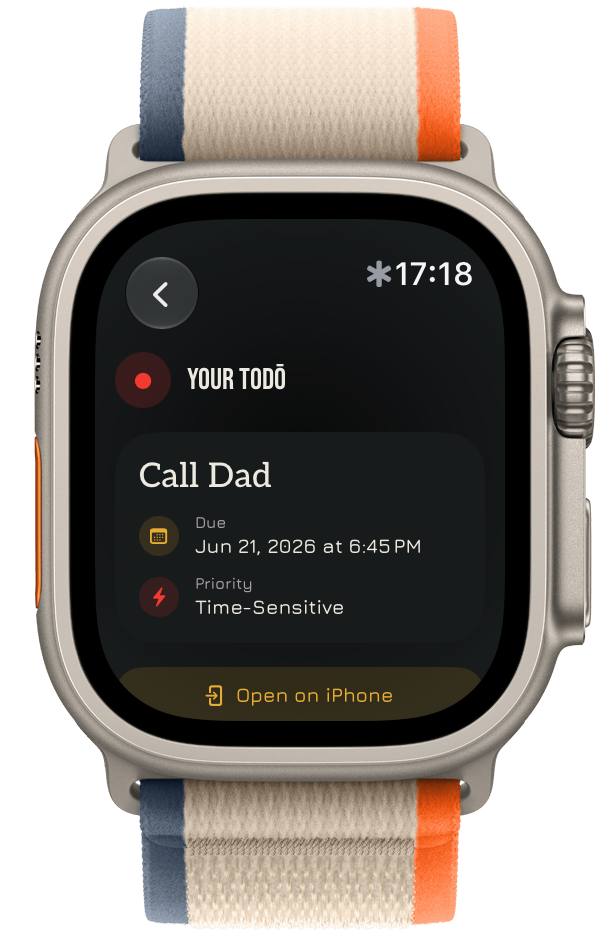
The Watch experience has also been refined across its typography, colors, buttons, date selection, completion behavior, and navigation. These details matter because a smaller screen has less room to forgive uncertainty. The goal was not to reproduce the iPhone app on the wrist. It was to make the Watch app feel like a native, dependable part of the same system.
Structure without ceremony
Tasks rarely arrive as isolated sentences. They come with notes, timing, recurrence, context, subtasks, places, and the practical details that determine whether something can actually be completed. A useful task system needs to hold that information without requiring the user to perform a ritual every time they add a task. Version 3.0 continues to build around that balance: enough structure to support real life, without turning organization into another form of work.
toDō now brings together a deeper set of task capabilities, including notes, tags, due dates, reminder intent, location reminders, recurrence, calendar integration, interactive nanoDos, archive and trash workflows, restoration, permanent deletion, and a configurable primary removal action. These features are not intended to be used all at once. They exist so that a task can carry the level of context it needs, whether it is a simple reminder or a larger responsibility that needs to be broken down.
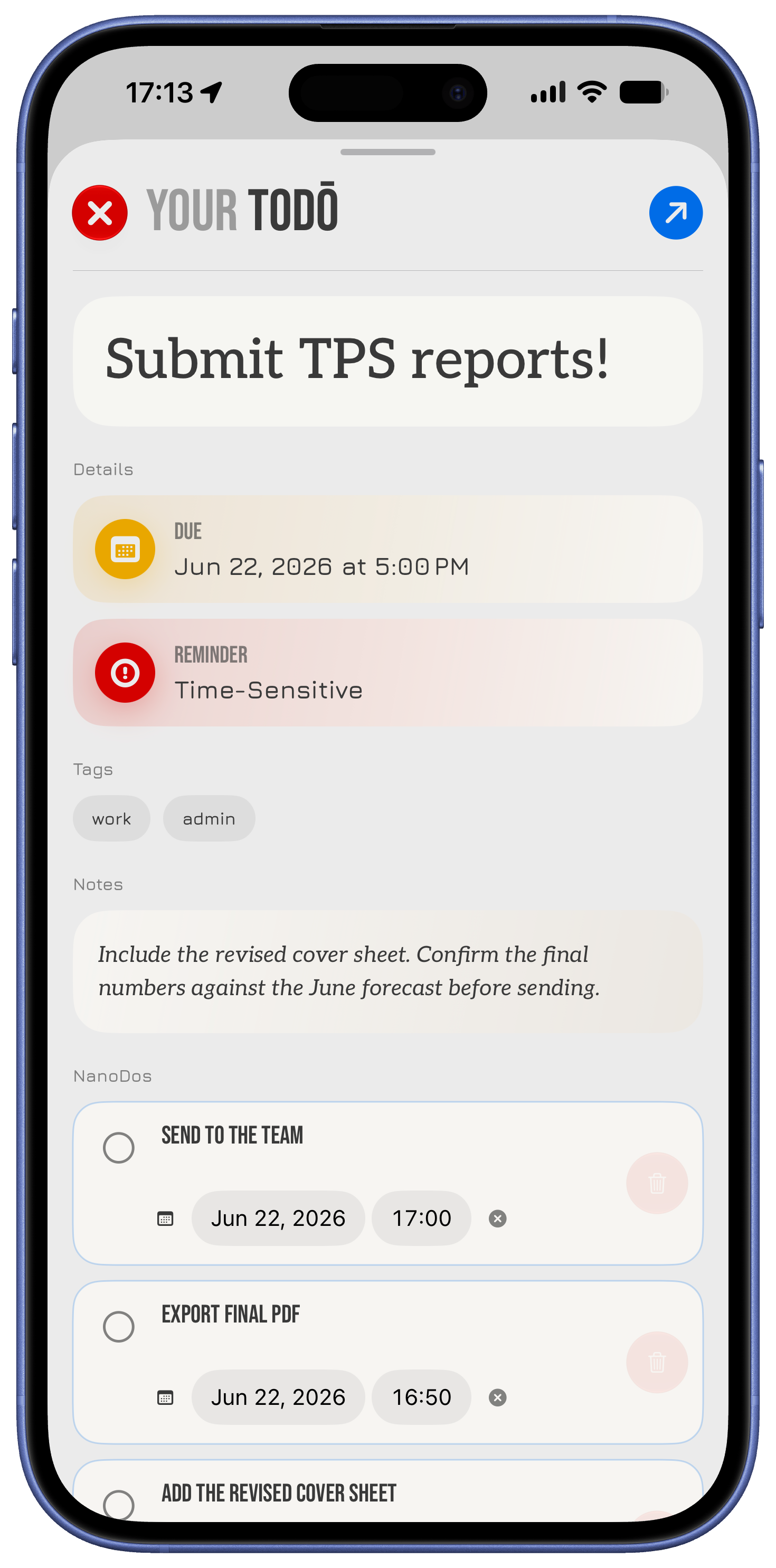
nanoDos are especially important to that approach. Breaking work into smaller steps can make a difficult task more approachable, but those steps should not lose their relationship to the larger intention behind them. Version 3.0 makes nanoDos more interactive within the individual toDō experience, allowing the work to become more actionable without flattening it into a disconnected list. Structure should support action. It should not become another task to manage.
See momentum privately
Completion is not the entire story of a person’s work, but it is part of the story. A task system should make progress visible without reducing a person’s life to a scoreboard. The new Stats experience in Version 3.0 is designed around that distinction, offering a private view into the shape of one’s work rather than a public performance of productivity.
Stats can surface active and completed toDos, overdue work, due-today items, recurring work, completion rate, nanoDo completion, workload shape, organization, completion trends, planning accuracy, and pressure signals. These are not meant to be judgments. They are signals that can help someone understand what is moving, what is accumulating, what is being planned realistically, and where attention may be needed before pressure becomes overwhelming.
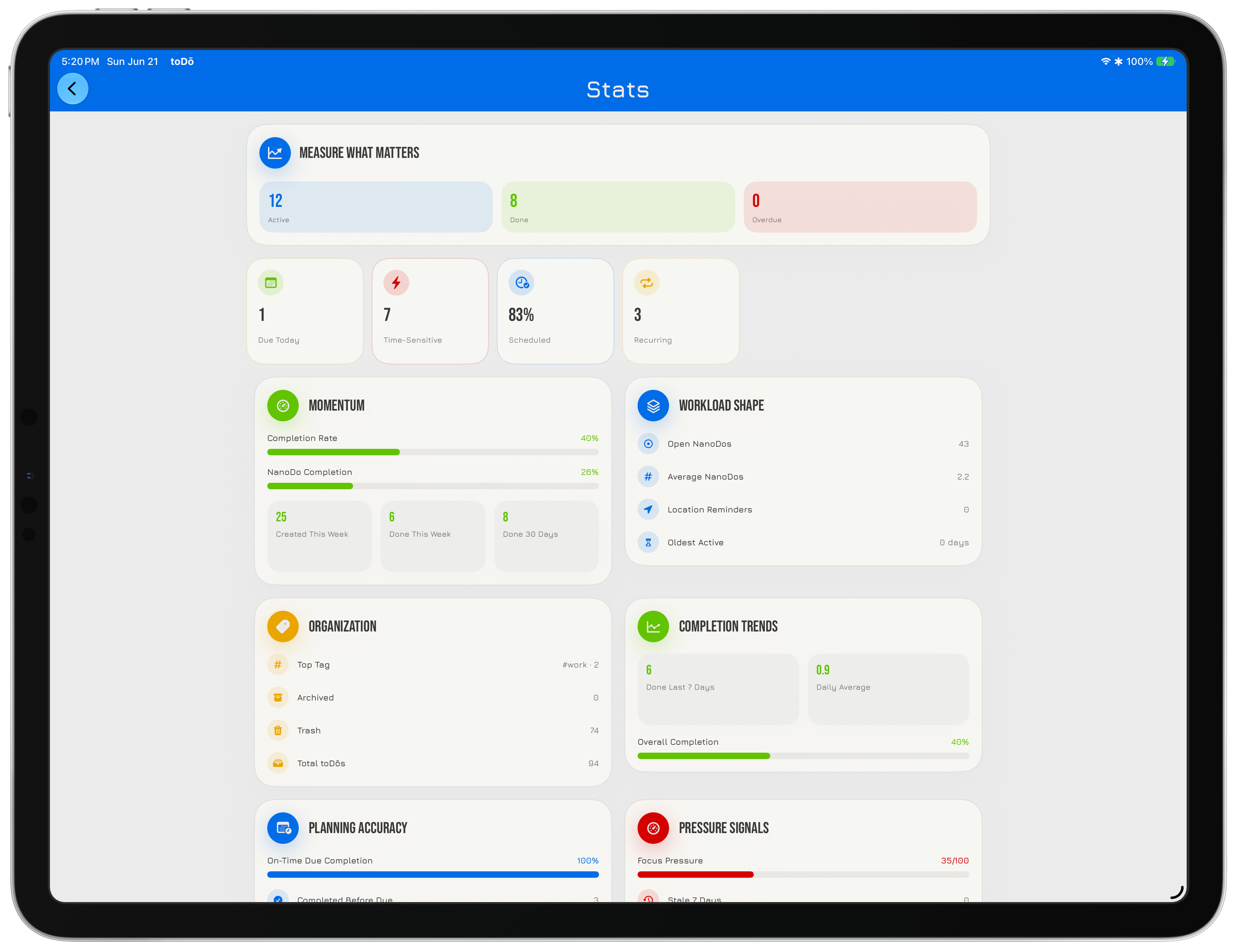
Private Insights are opt-in, because visibility should remain a choice. Some people will want a deeper view into their habits and patterns; others will only need the immediate work in front of them. Both approaches are valid. The point is to make information available when it is useful, while keeping the user in control of how much of their own data they want the system to interpret.
A stronger visual foundation
Version 3.0 also rebuilds the visual system across iPhone, iPad, Apple Watch, widgets, and Live Activities. This was not a matter of applying a new coat of paint to an existing interface. The design work focused on making the system feel clearer, more composed, and more native to the platforms it runs on. A task app is used in small moments throughout the day, and those moments are shaped as much by hierarchy, spacing, typography, and feedback as they are by any individual feature.
The update introduces a fuller theme system, including multiple themes and the shift theme, alongside app-controlled light and dark display modes. Button styling, brand color, typography, panels, settings presentation, and supporting surfaces have all been refined to create a more consistent experience. The intention is for the interface to stay out of the way when a task is simple, while remaining capable and legible when more context is needed.
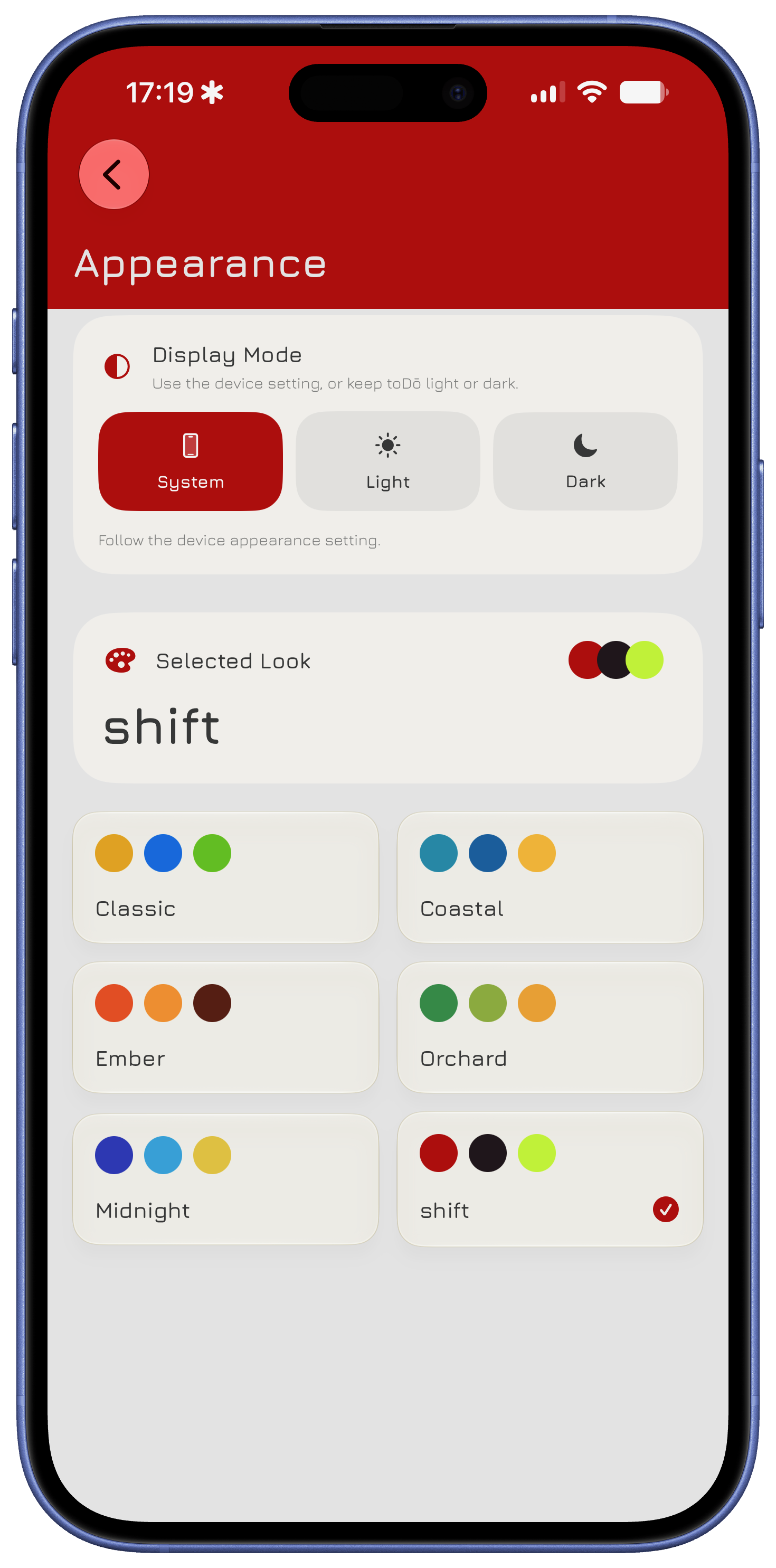
The visual work also reflects a larger principle: native does not mean generic. toDō should feel at home on Apple platforms while still having a point of view about what a task system can be. That requires restraint, but it also requires care. The best interface is not one that asks to be admired. It is one that makes the next decision easier.
Built for more people
A system centered on clarity cannot assume that everyone reads, plans, or moves through information in the same language or direction. Version 3.0 expands and completes current localization coverage for Arabic, Spanish, Hindi, Italian, Japanese, Malay, Thai, Urdu, and Simplified Chinese. This work is not simply a translation pass. It includes attention to right-to-left layouts, localized digits and dates where the app controls formatting, localized default tags, and the removal of hard-coded strings throughout the product.
Localization matters because task management is deeply personal. The language, dates, directions, and defaults within a system affect whether it feels usable or foreign. A product that asks people to organize their lives should make a serious effort to meet them in the ways they already understand their lives. Version 3.0 moves toDō further in that direction while establishing a better foundation for continued localization work.
The onboarding experience has also been rebuilt around practical usefulness. Instead of treating the first launch as a tour of controls, the new flow guides the creation of a first real toDō, introduces notification permissions at a more appropriate moment, explains sync after there is actual work to protect, and can resume if interrupted. The first few minutes with a task system matter. They should establish value, not merely explain where the buttons are.
The foundation beneath the update
Much of Version 3.0 is visible immediately. Some of its most important work is not. The app has been modularized and strengthened through structured logging, improved preferences and time handling, sync coordination, notification services, widget snapshot architecture, Watch bridge models, localization validation, App Intents, and release verification workflows. None of that is meant to be the headline, but it is the reason the headline can hold.
A rebuild is only worthwhile if it creates room for the future without making the present less dependable. The technical work in Version 3.0 is meant to make toDō more stable now and more capable of growing across future releases, additional platforms, and new ways people may choose to organize their lives. Growth is not inherently valuable. It is valuable only when the foundation remains clear enough to preserve what made the product useful in the first place.
That is what this release establishes. toDō 3.0 is not the final form of the product, nor should it be. It is a stronger beginning for what comes next: a task system that can continue to grow without losing its focus on intention, clarity, and momentum.
